Shipping the branded vertical video feature
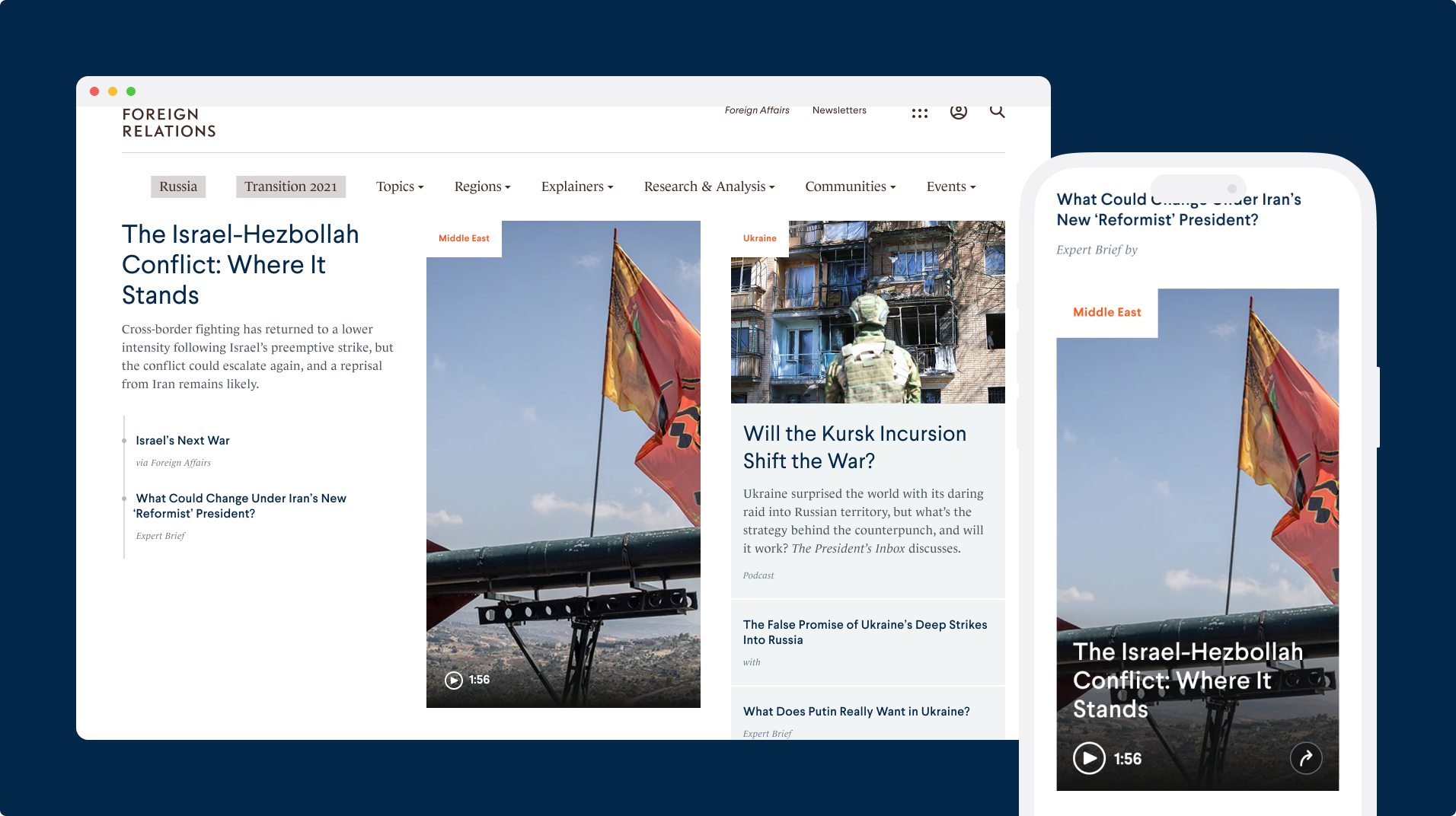
CFR experts are increasingly producing more Vox-style video explainers because of their popularity on Instagram and other social media platforms. The newly appointed Chief Digital Officer noticed this and made it a priority to implement more on the site, as vertical video has become a standard throughout the news industry. In this project, we executed on the launch of a CFR-style video player.
Timeline
2 months
Team
CDO, 1 PM, 2 engineers, 2 stakeholders
Role
Lead Designer
Methods
Journey Mapping, Competitive Analysis, Visual Design, Interaction Design
Goals
Deliver an MVP in the 2 spot on the homepage
It took a cross-functional effort to build this feature from the ground up in hopes of user adoption
Ensure critical features are seamless across different screen sizes
Accessibility was not an afterthought in this project—it was a priority from the very beginning
Elevate CFR brand to match news industry standards
Some people felt CFR was already the standard for think tanks and now aimed to compete with news brands
Problem
Business: Keep users on our platform
User: Typically consumes short videos on TikTok, YouTube, and Instagram
Defining the problem: How might we encourage users to consume journalism similar to social media?
Solutions
Leverage Vimeo and vanillaJS
Meet WCAG AA accessibility standards
Develop our own custom video controls
Key User Stories
As a casual CFR user, if I come to the homepage, I want to watch a short-form to provide further context about a topic I’m passively following or recently heard about.
As an avid CFR user, when I come to the homepage, I want to watch a video from an expert or about a topic that I’m very familiar with and potentially share with my community.
As someone unaware of CFR, if I come to the homepage, I want to find other videos similar to the one I found on Instagram.
Competitive Analysis
Strengths, weaknesses, and ratings of similar use cases
Feature Prioritization
After some thoughts and brainstorming, we used the MosSCow method to categorize which features should be tackled first to deliver the most value to users.
Findings from the MoSCow feature prioritization workshop
Final Designs
The design focuses on simplicity and ease of use, with a clean interface that allows users to easily control and consume the video however they see fit. Whenever they need the video controls, make it easy to find what they need quickly and not disrupt their view experience.
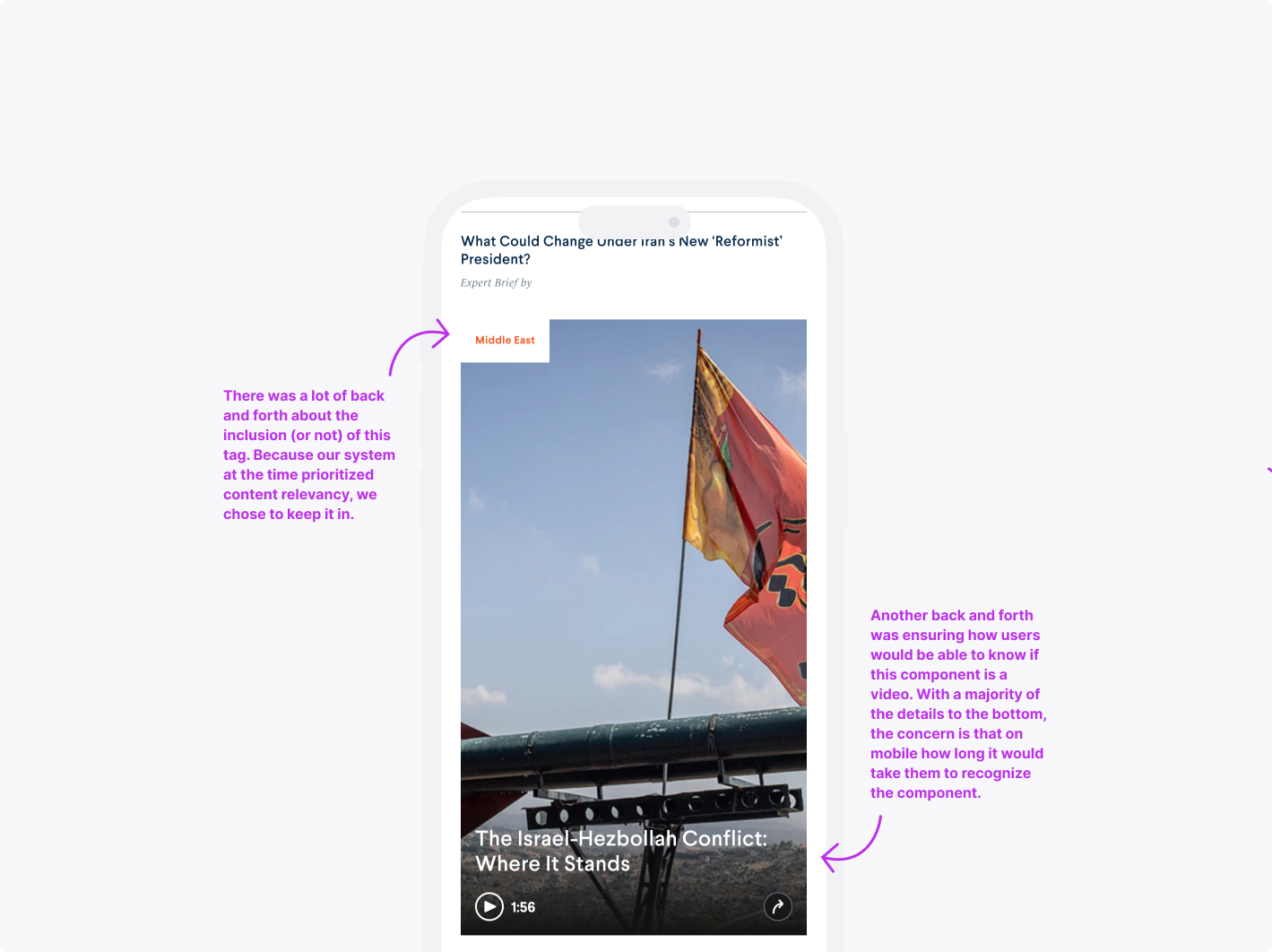
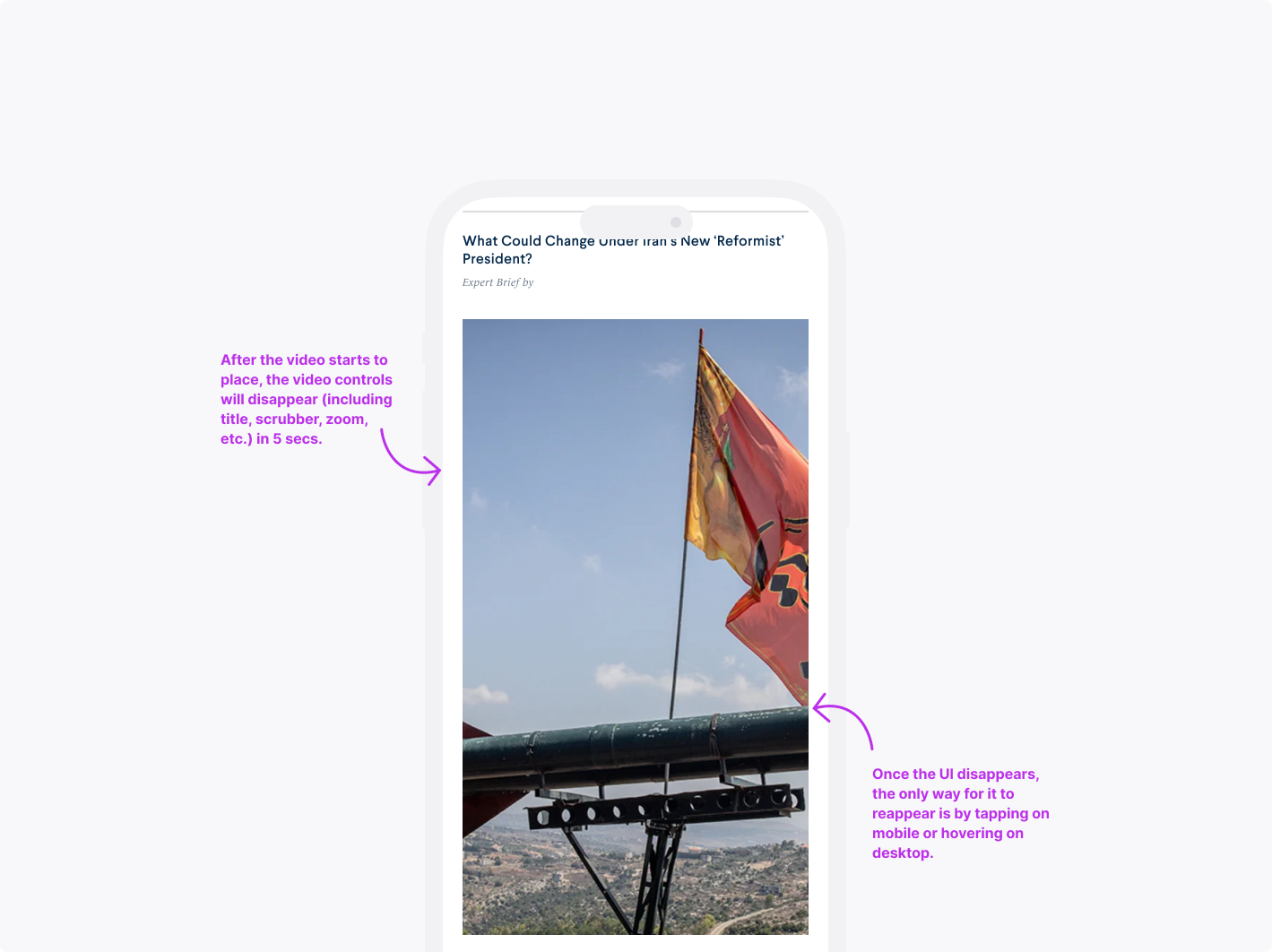
Video within the number 2 spot on homepage
Takeaways
Relieving control to user preferences improves satisfaction and keeps users returning
Prioritizing user needs is crucial for creating an effective experience that resonates with the target audience